Free Chrome extension

Claus
Write a personalised cold email from any company’s website.
Claus is a free Chrome extension. Open a prospect’s website, click Claus, and get a cold email and a LinkedIn message that mention what they actually do. It also finds the email addresses on their site.
Version 1.2.1 · Every install gets 10 free drafts a day. Finding emails is unlimited.
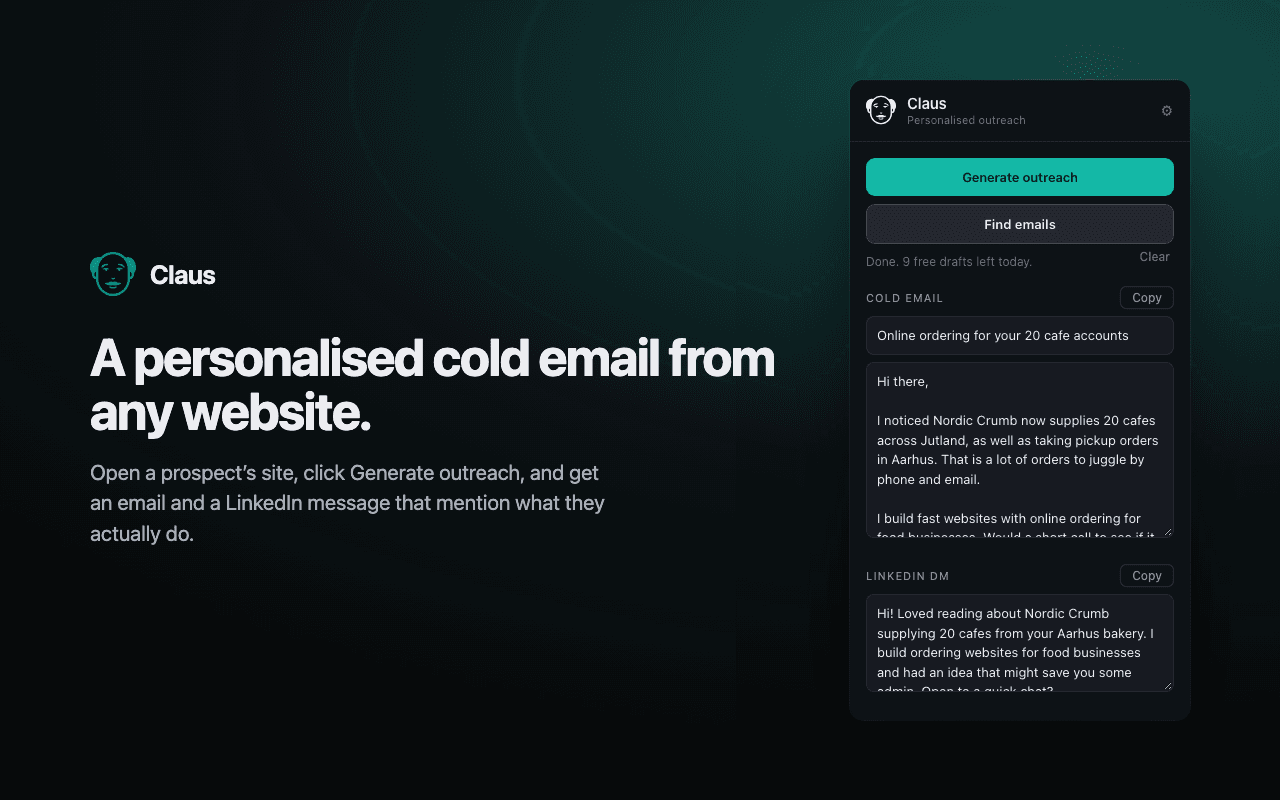
 Cold email and LinkedIn DM in one clickFinds the email addresses on a siteSaves contacts and exports them to CSVSet your offer, booking link and writing style once
How to install
Claus is on its way to the Chrome Web Store. Until then, it takes four quick steps to install.
- 01
Download and unzip
Download Claus and double-click the zip. You’ll get a folder called “claus”. Keep it somewhere you won’t delete it, like Documents.
- 02
Open your extensions
In Chrome, go to chrome://extensions (paste it into the address bar) and switch on Developer mode, top right.
- 03
Load Claus
Click “Load unpacked” and choose the claus folder. Then click the puzzle piece in Chrome’s toolbar and pin Claus.
- 04
Set it up once
Open Claus, click the gear and add your name, what you offer and your booking link. Now open any company’s website and click Generate outreach.
Your privacy
When you click Generate, Claus sends that page’s text and your sender details to write the draft. Nothing is stored. Emails you find and save stay in your browser.
Read the privacy policy/ 009 / Contact
Get in Touch.
Tell me where you’re stuck or what youwant to build, and I’ll reply personally.


A reply within one working day
The consultant who’d do the workreplies, not a sales team.